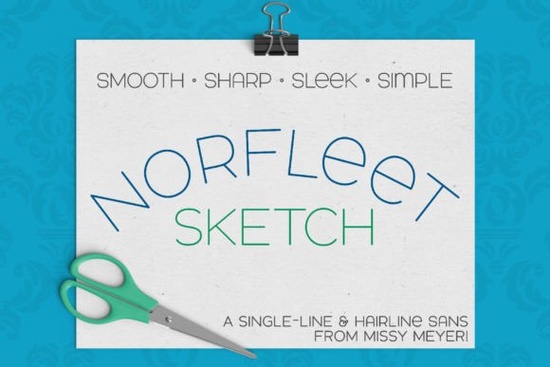
If you're looking for a unique and versatile font to add to your design toolkit, the Norfleet Sketch (single Line) Font is a great choice. This font is designed specifically as a single-line font, making it perfect for sketch pens, engraving tools, and other stylus-based applications. Its clean, elegant lines and minimal nodes make it a standout option for designers, crafters, and print-on-demand sellers.
Understanding Norfleet Sketch: A Closer Look
Norfleet Sketch was built from the ground up with a focus on simplicity and elegance. It's a sans-serif font with smooth curves and a modern wide stance, giving it a fresh and contemporary feel. The font is double-uppercase, with some interesting variants in the lowercase set, such as a round-topped 'A' and a lowercase-style 'e.' This makes it a flexible choice for a variety of design projects.
Single-Line vs. Hairline: What's the Difference?
Norfleet Sketch comes in two versions: Norfleet Sketch One and Norfleet Sketch Two. Each version serves a different purpose, depending on your specific needs and the software you use.
Norfleet Sketch One: True Single-Line Font
Norfleet Sketch One is a true single-line font, meaning it is made from a single stroke from beginning to end. This version is ideal for use in CNC/specialty programs like Rhinoceros. Most common design programs will connect the start and end points of these strokes, but if you're proficient in vector design software like Adobe Illustrator, Inkscape, or Affinity Designer, you can remove that connection. If this sounds a bit technical, don't worry; the included PDF guide offers detailed instructions to help you get started.
Norfleet Sketch Two: Hairline Font
Norfleet Sketch Two is a hairline font, which means it's an outline font where the strokes are so close together that they appear as a single line. This version is more user-friendly and can be used in most crafting and design programs, including Silhouette Studio, Cricut Design Space, and CorelDRAW. You can simply type and go without needing to make any modifications. This makes it a great choice for those who want a hassle-free experience.
Why Choose Norfleet Sketch?
There are several reasons why Norfleet Sketch stands out as a top choice for designers and crafters:
- Versatility: The font can be used in a wide range of design and crafting software, making it a versatile addition to your toolkit.
- Elegance: With its clean, modern lines and minimal nodes, Norfleet Sketch adds a touch of elegance to any project.
- Flexibility: The double-uppercase design with lowercase variants allows for creative flexibility, whether you're working on a logo, a custom sign, or a print-on-demand product.
- User-Friendly: The inclusion of both single-line and hairline versions, along with a detailed PDF guide, makes it easy to use, even for beginners.
How to Use Norfleet Sketch in Your Projects
Whether you're a seasoned designer or just starting out, here are some tips on how to use Norfleet Sketch effectively:
- Choose the Right Version: Decide whether you need the single-line or hairline version based on your project and the software you're using.
- Refer to the Guide: The PDF guide included with the font provides valuable information on how to use the font in specific programs, so be sure to give it a read.
- Experiment with Pairings: Norfleet Sketch looks great on its own, but you can also pair it with other fonts to create a cohesive design. Consider checking out other sans-serif fonts like North Hiking or Chopard for complementary options.
- Test and Adjust: Before finalizing your project, test the font in your chosen software and make any necessary adjustments to ensure it looks perfect.
Final Thoughts
Norfleet Sketch (single Line) Font is a fantastic addition to any designer's or crafter's collection. Its clean, elegant design and versatility make it a valuable tool for a wide range of projects. Whether you're creating custom signs, logos, or print-on-demand products, Norfleet Sketch is sure to enhance your designs. Don't forget to explore other sans-serif fonts to find the perfect combination for your next creative endeavor.
Next Steps
Now that you know more about Norfleet Sketch, here’s a quick checklist to help you get started:
- Download the font and familiarize yourself with the PDF guide.
- Choose the right version (One or Two) based on your project and software.
- Experiment with font pairings to create a unique and cohesive design.
- Test and adjust your design in your chosen software.
- Share your creations and get feedback from your community.
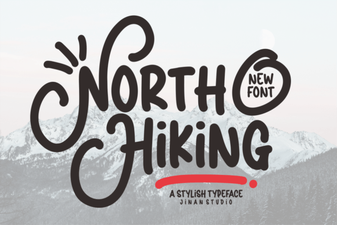 North Hiking Font: Rugged Design for Outdoor Projects
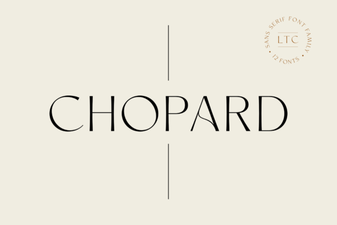 Chopard Font: Elegant Design & Creative Typography Ideas
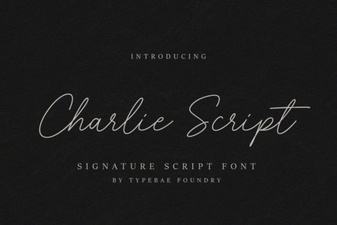 Charlie Script Font for Elegant Calligraphy Designs
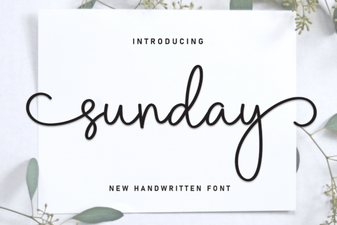 Sunday Font Inspiration: Design Ideas & Creative Uses
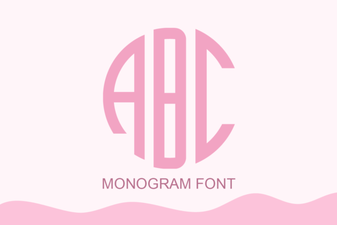 Crafting Your Signature with a Monogram Font
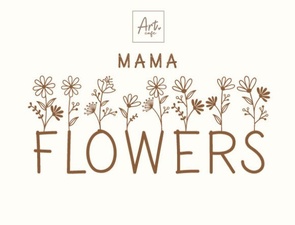 Mama Flowers Font: Unique Handmade Typography